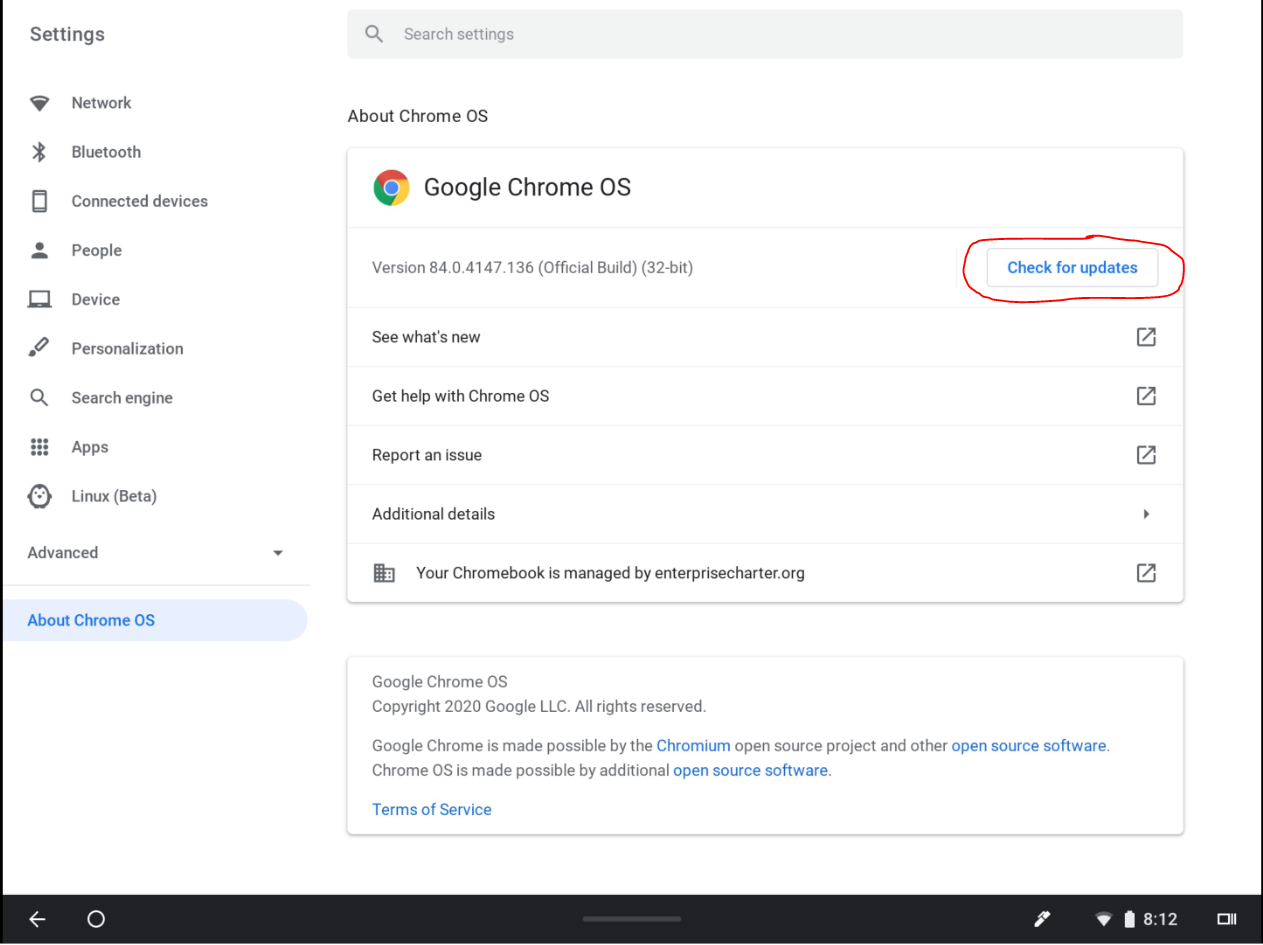
Hello Families! Please update your Chrome Tablets to insure it works with our apps. If you have difficulty, contact your child's teacher.
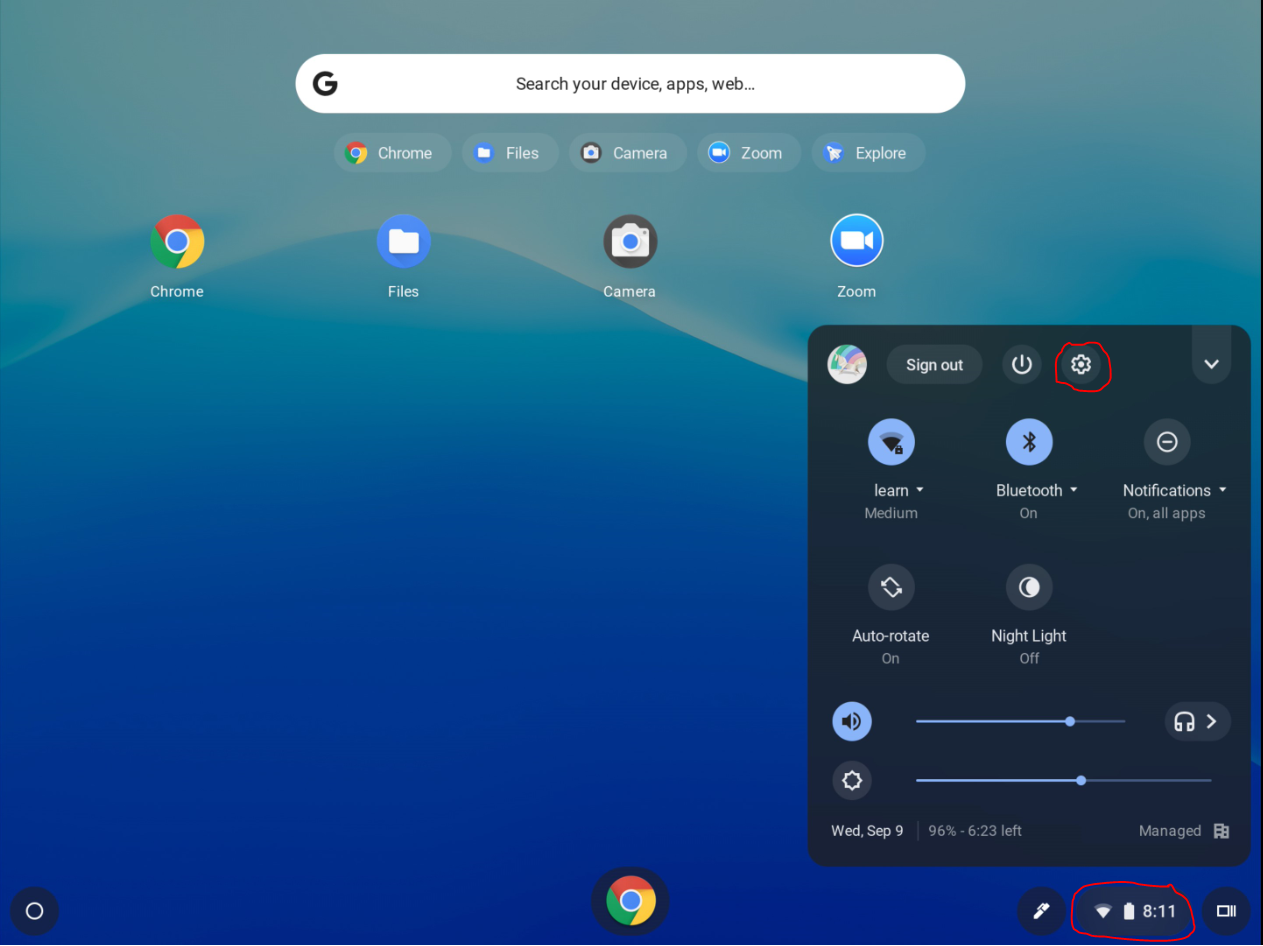
Step 1: Open Control Panel by tapping in the status tray (WiFi, Clock, and Battery), then tap on the the Gear icon.
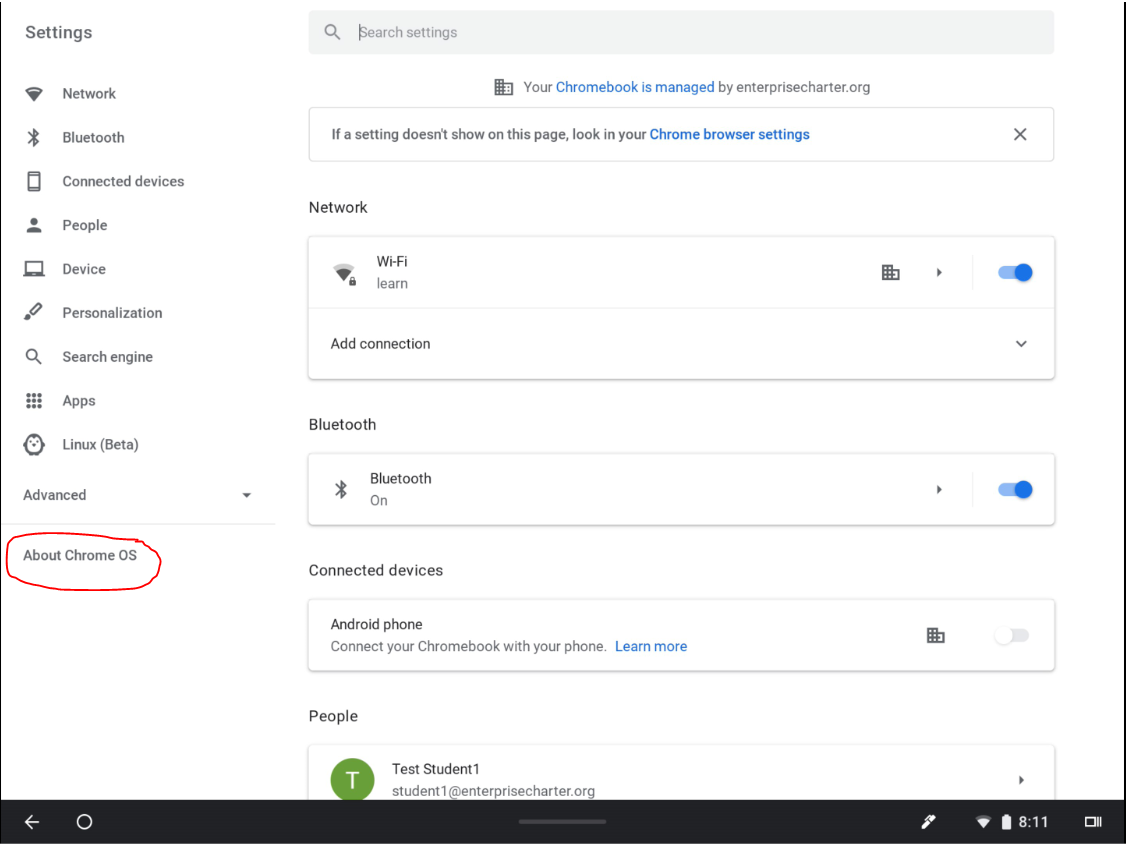
Step 2: Tap on "About Chrome OS"
Step 3: Tap "Check for Updates" and let the update run. The tablet will be restarted.
: